🔍 Introduction
Download FASTQ takes an ENA/SRA accession (Study, Sample, Experiment, or Run) and queries ENA (via the Data Warehouse API) to determine the associated metadata. It then downloads FASTQ files for each Run. For Samples or Experiments with multiple Runs, users can optionally merge the runs.
This Constellab task wraps the fastq-dl package
- Creates/normalizes output folders.
- Produces a canonical run-info table (
fastq-run-info.tsv) you can pipeline downstream.
Use it when you need reliable access to public sequencing data without installing or maintaining heavier toolkit stacks.
🧰 Prerequisites
- Access to Constellab and a valid Digital Lab environment.
- Installed bricks
gws_omix> 0.13.6 containing this task "Download FASTQ"
🧪 Workflow: Step by Step
- Add the task: Choose “FASTQ Download ” in Constellab.
- Configure parameters :
accession: the ENA/SRA identifier (e.g.,
PRJNA248678, SRX477044, SRR1178105).
provider: "ena" or "sra".
cpus: Integer (e.g., 2,4,8 or 16).
- Run the task.
⚙️ Parameters
- One or more accession IDs separated by commas (e.g. "SRX1,SRX2,PRJNA...,SRR...")
Accepts Study, Sample, Experiment, or Run accessions:
- BioProject/Study:
PRJNA…, SRP…, ERP…, DRP…
- BioSample/Sample:
SAMN…, SAME…, SAMD…, SRS…, ERS…, DRS…
- Experiment:
SRX…, ERX…, DRX…
- Run:
SRR…, ERR…, DRR…
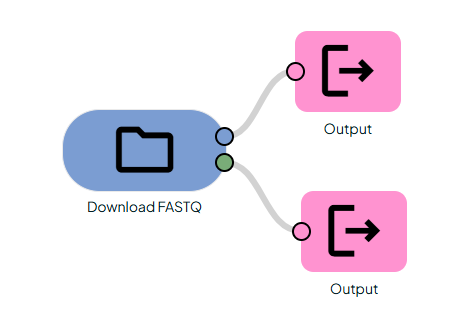
📤 Outputs
1) FASTQ folder:
a folder containing the different fastq.gz file(s).
2) Metadata TSV:
A table for all Runs resolved under the input accession.