


About
Constellab Project is a lightweight, interactive project management workspace designed for innovation-driven teams. It helps organizations plan their activities, coordinate teams, and track progress with clarity. By centralizing all project resources, it provides dynamic Gantt views, Kanban boards, a team planning grid, automatic status propagation, and real-time insights — empowering teams to collaborate efficiently and make better decisions across their R&D and innovation programs. Available in English and French.
Key features
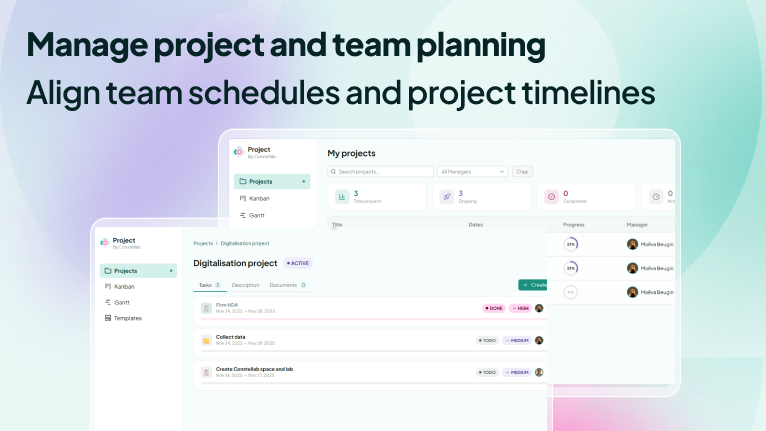
1. Manage project and team planning
Align team schedules and project timelines effortlessly.
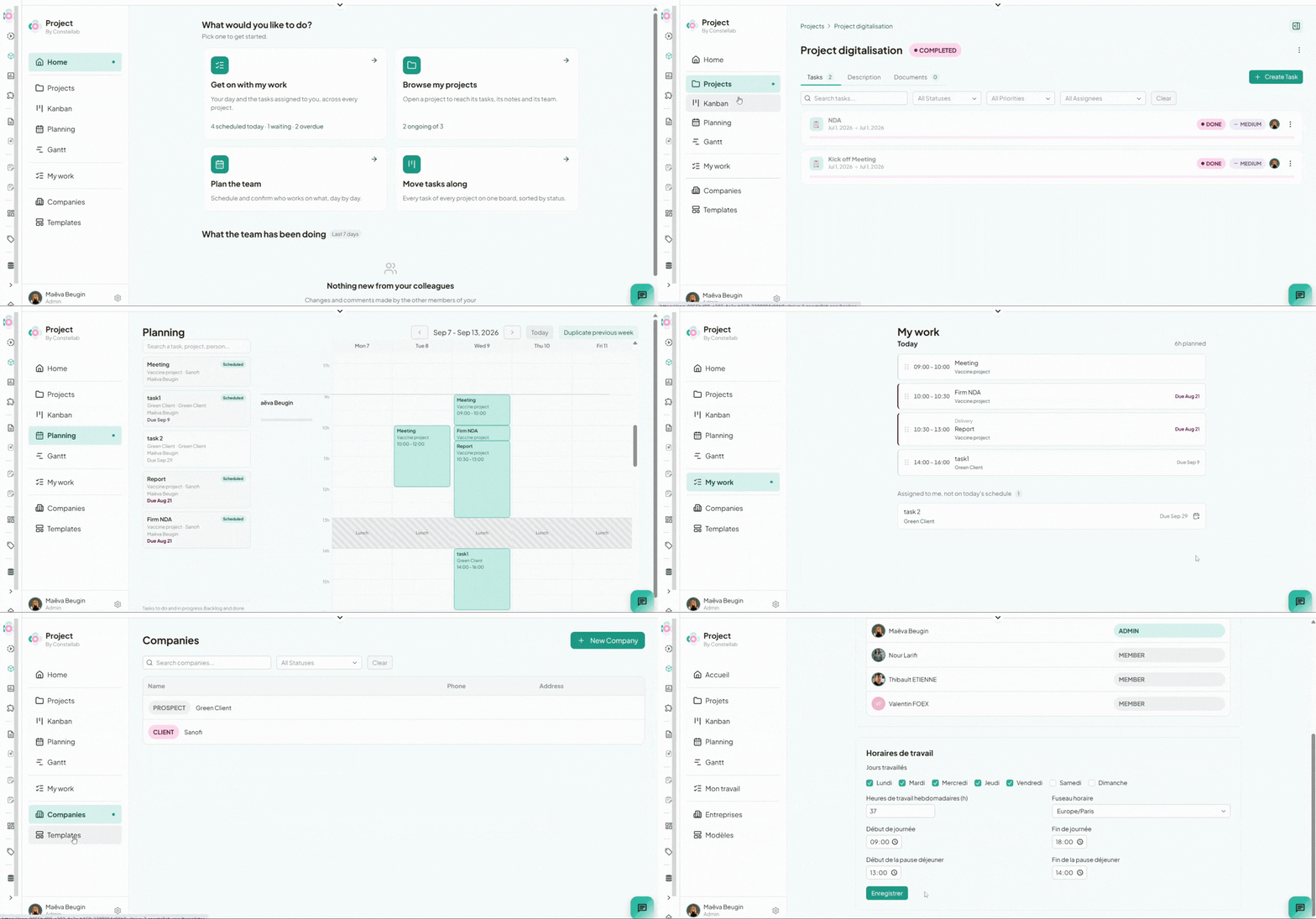
- Project timeline (Gantt): every project and its main tasks on one chart, with Day / Week / Month / Year zoom levels, a "today" marker, and a done / remaining / late reading of each bar. Filter by project manager, company, or name.
- Team planning: a person × day weekly grid where you schedule who works on what. Drop a task on a slot, drag it to another person or day, resize it to change its duration.
- Capacity and warnings: planned time is compared to your organization's working hours, and the screen flags overloaded days, work scheduled after a task's due date, and overdue tasks that are not scheduled at all.
- My work: for each person, their day slot by slot, plus the tasks assigned to them that aren't scheduled yet.
2. Kanban management
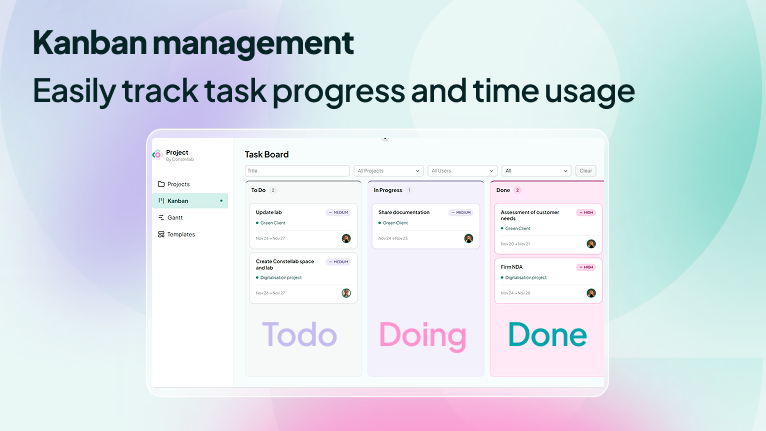
Track work in a simple, intuitive way with a clean Kanban board.
- Leaf tasks move through To Do → Doing → Done
- Progress updates cascade automatically to parent tasks
- Provides a clear view of what is being worked on and by whom
3. Centralize your innovation project data
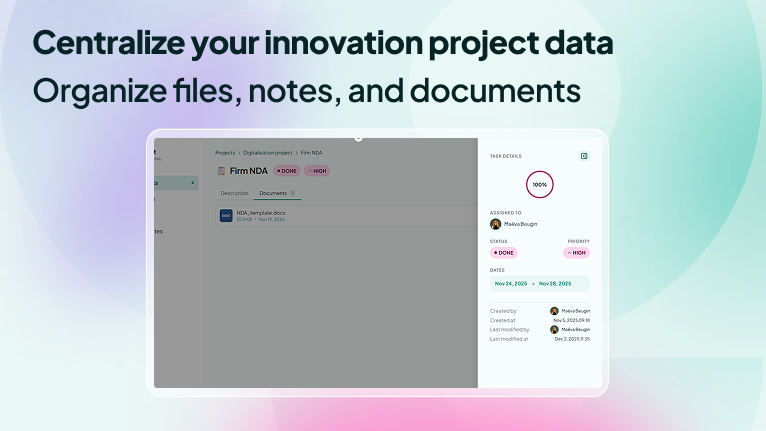
All your project documentation in one place.
- Store files, lab notes, reports, and structured resources
- Attach documents directly to projects, folders, or tasks
- Access shared resources from collaborative workspace folders
4. Structure, reuse, and follow up
- Project and task templates: create a project with its standard task breakdown already in place, or drop a reusable task structure into an existing project
- Companies: link projects to a client or partner and see, per company, all the work done for it
- Comments and activity: discuss on a task, and read a dated history of every change; the home page turns it into a feed of what the team has been doing
- Home: a starting point with live counts — scheduled today, waiting, overdue, ongoing projects
5. Control who sees what
- Per-project membership with Owner and User roles; add a person or a whole group from your organization's directory
- App-level Admin and Member roles, gating the shared settings
- Every screen only ever shows the projects you are a member of
How it works
1. Create a project: start from scratch or from a project template, and define its scope, dates, manager, and (optionally) the company it is for.
2. Describe your project: Add objectives, context, deliverables, milestones, and collaborators.
3. Create tasks and subtasks
- Tasks can contain subtasks (folders) or be leaf tasks
- Only leaf tasks appear in the Kanban for operational management
4. Add documents and notes: Attach files, notes, and structured documentation to each project, task, or sub-task. Shared resources automatically appear in the collaborative space.
5. Schedule the work: in the Planning, give each person their slots for the week; each contributor then follows their own day in My work.
6. Manage leaf tasks in the Kanban: Move tasks through To Do → Doing → Done. Status changes automatically update parent tasks for consistent project tracking.
Benefits
- Designed for innovation projects Fits the iterative, evolving nature of R&D and scientific workflows, as well as the practical needs of production and commercialization.
- End-to-end digital continuity Connect your real, project, and innovation data in one unified space.
- Planning grounded in real capacity Working days, weekly hours, day boundaries, and lunch break are configured once and applied everywhere.
- Integrated time tracking Essential for auditing, financial reporting, contractual follow-up, and due diligence
- Flexible and customizable Supplementary features can be added to match the specific needs of your organization.
Coming Soon
- Daily time tracking per task Track the exact time spent on each task per day. This enhanced tracker supports:
- Audits
- Due diligence
- Fiscal declarations
- Internal reporting & cost attribution

Comments (0)
Write a comment